 Discord
Poll
 Loading ...
Posted by dOoBiX on August 14th, 2017 at 10:48 pm

StarCraft: Remastered had been released to the public earlier today and it costs $14.99 on Battle.net. As a reminder, the legacy StarCraft: Brood War had become free for everybody since patch 1.18 came out in April this year. So if you don’t feel like buying SC:R, you can still play the original SC — which by the way, are multiplayer compatible with each other!
For more information, check out https://starcraft.com/en-us/articles/20977641

Posted by dOoBiX on July 25th, 2017 at 12:34 am
StarCraft: Brood War Patch 1.19 was released a few hours ago, and will be the last major patch before Remaster launches.
Features & Improvements
General Battle.net
– A Battle.net account is required to access multiplayer gateways
– Save Legacy Profiles forever by pairing them to a modern Battle.net Account
– Create or link up to three Profiles per gateway
– Friend’s list now contains whisper and status for friends playing modern Blizzard games
– NumPad+0 stats ordered by player name
– Popular maps display based upon the most played maps in the last 24 hours
– Replays and saved games are cloud saved and accessible upon loginChat Panels
– Added to all multiplayer screens
– Click the Channel name in the Message Entry box to display the last channels
– Change message target with /1, /2, or /w (player)Search Games Screen
– Open games automatically update with player information and availability
– Games list auto-refresh has replaced by a refresh button
– Added filters for name, game type, private, acceptable ping, and player countObserver Mode
– Right click player name to follow their camera
– Right click to follow a unit
– Left click player name to toggle their field of vision
– ‘A’ shows/hides Unit, Economy, and Minimap
– Alt+U or hides/shows Units section
– Alt+E hides/shows Economy section
– Alt+I hides/shows Minimap
– Alt+W hides/shows Button sectionOptions
– H.O.T.K.E.Y.s have arrived – again
– Added an option to disable custom hotkeys in Create menu
– An expanded version of Options can now be found on the main menu screenBug Fixes
– Ending a game in an Observer slot is handled gracefully
– Carriage returns in map details are preservedKnown Bugs
– Asian and Cyrillic characters not supported in Legacy Chat
Source: Battle.net
Posted by dOoBiX on April 18th, 2017 at 2:52 pm
StarCraft: Brood War is now FREE! Follow the links below to download:
PC – https://battle.net/download/getInstallerForGame?os=WIN&version=LIVE&gameProgram=STARCRAFT
Mac – https://battle.net/download/getInstallerForGame?os=MAC&version=LIVE&gameProgram=STARCRAFT
Source: Battle.net
Posted by dOoBiX on April 1st, 2017 at 8:06 pm
Earlier this week, Blizzard announced that they are soon releasing a new StarCraft Brood War v1.18 patch. When this new patch comes out, StarCraft: Brood War will become completely free!
As of right now, v1.18 is available in Public Test Realm and is can be downloaded here for testing: https://d8un0y0mnd29o.cloudfront.net/public/Starcraft+1.18+PTR+1202.zip
After the v1.18 PTR is over, the entire StarCraft Anthology will be available for everyone to download and play.
Source: Battle.net
Posted by dOoBiX on January 1st, 2013 at 9:04 pm
An app for Android, called Winulator by Dan Aloni software, is being developed that lets users run Windows EXE/DLL files on ARM devices. So far, this app supports one game: Caesar III. StarCraft: Brood War patch v1.16.1 is currently in working progress and will be the next game to be supported. You can watch a short preview of the developer testing StarCraft on a tablet with full touch controls in the video below.
Winulator beta is available free in the Google Play Store, but note that StarCraft isn’t compatible yet. To support the developer, you can buy the paid version of Winulator.
Posted by dOoBiX on April 27th, 2012 at 11:03 am
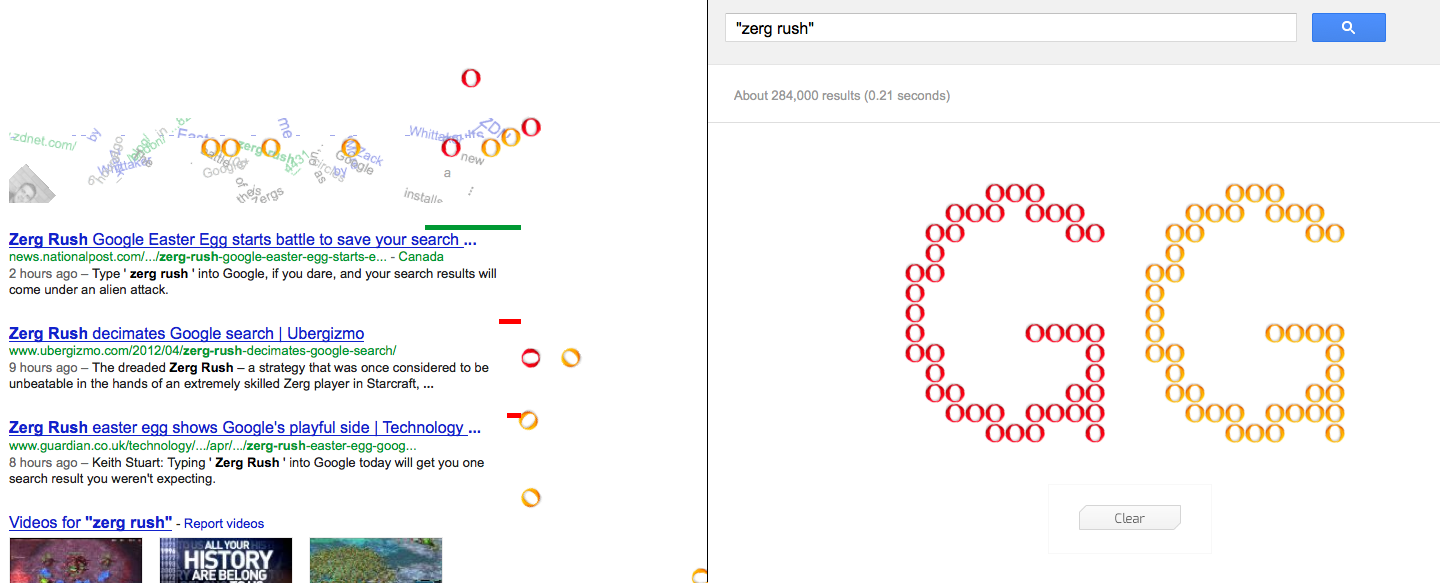
Google released an entertaining StarCraft-related easter egg today, for reasons unknown yet. To see it, just go to google.com and search “zerg rush”. Your search results will be attacked by a bunch of “zerglings” which will group up at the end to spell out GG.
Update: There are several sites now saying that a Google spokesperson gave out this quote:
“For n00bs who aren’t as familiar with real-time strategy games, there’s been a zerg rush on your search results page. Because there should always be time to practice your gaming skills, click on the zerg units to defend the results page and try not to get pwned. Then you can share you APM score on Google+. GLHF!”
So apparently you can kill those “zerglings” by clicking on them to get a high score and post on Google+. I read somewhere that this whole thing might have been created to be a promotion for Google+. Anyway, I think it’s pretty cool that Google made something for us StarCraft fans.
Posted by dOoBiX on November 24th, 2011 at 3:41 pm
I just realized that I haven’t uploaded Monikon’s Mini StarCraft to icyHell yet. In the previous posts about this, I just linked to the creator’s webpage. However, that website is gone now, thus I will host the file here for everyone to download.
For those who don’t know about this yet, this is a very small version of StarCraft Brood War that can be put in your USB drive so you can take StarCraft wherever you go! You can even play on Battle.net if you use a valid CD-key.
Posted by dOoBiX on November 15th, 2010 at 1:37 pm
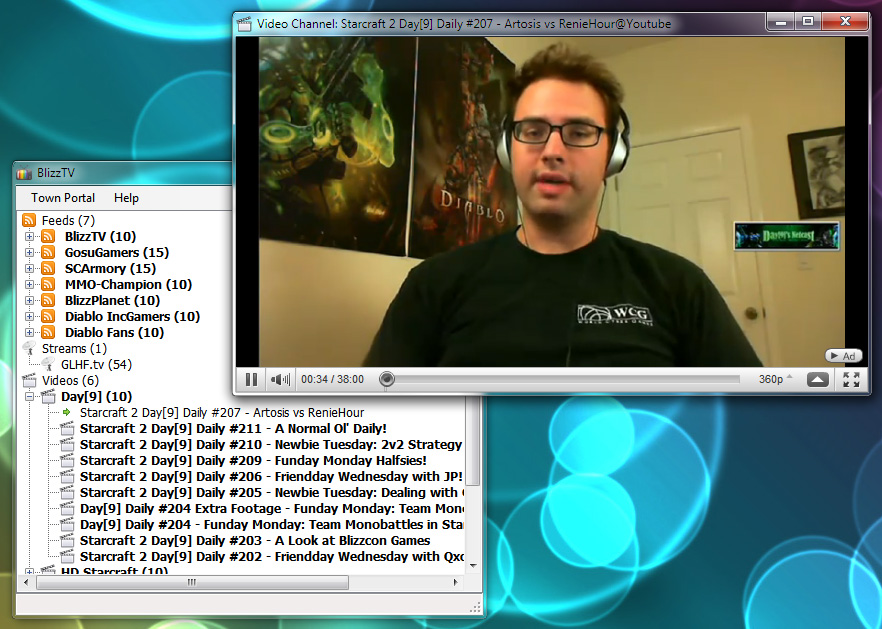
BlizzTV is a lightweight open source content aggregator made by Blizzard fans. You can use this to stream the latest game (i.e. StarCraft II) videos, vods, feeds, and events on your desktop. It’s only in beta version right now, and we should expect more features in later versions.
Official site: http://code.google.com/p/blizztv/
Source: Teamliquid.net
Posted by dOoBiX on July 22nd, 2010 at 8:45 pm
Check out this epic StarCraft movie trailer made by DeadPandaComedy!
Posted by dOoBiX on June 24th, 2010 at 3:04 pm

So how many of you still play StarCraft on Windows 7 with the colors all messed up? To be honest, this doesn’t really matter, because once you start a match, all the colors will be fine. The colors are only weird before, and after a match.
But, if you really want to fix this color problem manually, just follow the steps below:
- Start StarCraft
- Ctrl+Shift+Esc to open Task Manager
- Find explorer.exe and click End Process
- Alt+Tab to get back into StarCraft
After you’re done playing StarCraft, you need to re-open explorer.exe:
- Ctrl+Shift+Esc to open Task Manager
- Click File > New Task
- Type “explorer” and press enter
Now how was that? Wouldn’t it be better if there was a script to close and re-open explorer.exe for you? Well, guess what? You can make one! Here’s how:
- Open Notepad
- Copy and paste these 3 lines into Notepad:
taskkill /f /IM explorer.exe
"C:\Program Files\StarCraft\starcraft.exe"
start explorer.exe
- Make sure that 2nd line in Notepad is where your StarCraft is located, otherwise change it
- Click File > Save As, and name the file as ColorFix.cmd.
If you are having trouble creating the ColorFix.cmd file, you may download it below:
Windows 7 StarCraft Color Fix (7833 downloads)Now you can go enjoy your StarCraft with normal colors!