Posted by dOoBiX on September 5th, 2012 at 10:40 am
Blizzard has released the Heart of the Swarm beta for selected users to play! If you would like to participate, be sure to opt-in for the StarCraft betas in your Battle.net account. Check out this page for some Q&A from Blizzard.
If you would like to download Heart of the Swarm right now, use the links below!
These links are only for people who want to have the game ready to play on their computers. You do need a Battle.net account with the HotS beta to be able to log in. Without the HotS in your account, you’ll only be able to see the log in screen.
StarCraft II: Wings of Liberty patch 1.5.0 is now live! This patch features significant user interface changes to Battle.net, including the addition of the entirely new Arcade game menu, A new streaming launcher, QuickNav, graphical improvements, new Editor modules, and a number of bug fixes.
Be sure to check out the full patch notes to learn all about the latest changes.
StarCraft II: Wings of Liberty – Patch 1.5.0 – Show ▼
General
New Battle.net UI
The Battle.net user interface has been completely refreshed with a new look and feel.
The StarCraft II Arcade has arrived! To make way for this new feature, significant changes have been made to the StarCraft II user interface. Two new buttons have been added: the Arcade button, which will act as a portal to a brand new custom games experience that features dramatic improvements in finding, rating and playing custom games, and the StarCraft II button, which will provide access to classic single player and multiplayer experiences, including the StarCraft II campaign, multiplayer ladder, melee maps and more.
Arcade Button:
A new Arcade button has been added to the main Battle.net navigation panel at the top-left of the user interface. Custom games once found in the Custom Games interface will now be found here with an improved interface and tools. Players now have more flexibility to find, play, and review custom games, more quickly and easily than ever before.
The Spotlight page displays new or up-and-coming games. Players can visit the Spotlight to browse featured games, new games on the rise, and top-rated games as reviewed by the community.
Players can search for games based on genre, popularity, star ratings, newness, and recent spikes in popularity.
Each custom game in the Arcade is represented by a game icon. The game icon contains a large game image (provided by the creator), and includes the game’s name and star rating. Hovering over the icon displays the game description.
Clicking on a game icon brings players into the Game Info page, the main portal for each game in the Arcade. This page contains summarized information about a custom game, including a description, screenshots, play instructions, reviews, and other information. The Game Info page consists of several sections:
Overview: This contains the game description and a set of screenshots that show off the action.
How to Play: This is where players will find instructions (basic and advanced) and how to win. There is also space for additional images to supplement the game instructions.
Patch Notes: This is where the game creator can list updates that have been made to the game, so that players can see how the game is growing and improving.
Review: After playing, players can give a game a star rating and enter a text review. Once enough ratings have been submitted, the game receives an Average Star Rating that displays on the game icon. Players can also mark other players’ reviews as “Helpful” which will ensure that the best reviews rise to the top.
Tutorial: Game creators can now publish tutorials for their creations. If a tutorial exists for a game, a “Play Tutorial” button will appear on the Game Info Page, which can be clicked to immediately launch the tutorial.
There is now a “Join Chat” button on the Game Info Page that allows players to join a channel named after that Arcade game.
The new Open Games List displays games that have players, but aren’t full and ready to start yet. This should help players identify active games and find partners or opponents more easily.
StarCraft Button
The StarCraft II multiplayer ladder, melee games and other classic gameplay options have been moved to a separate StarCraft II button.
The StarCraft button has been reorganized to consolidate all single player and multiplayer StarCraft II play types in one easy-to-navigate screen. Players can now access the following from a single unified StarCraft screen:
Multiplayer: Quick Match, Coop vs. A.I., Team Games, and Melee Custom Games
Single Player: Campaign, Challenges, and Versus A.I.
New Streaming Launcher
A new StarCraft II Launcher will allow game data to stream during play. This should reduce download, install, and patching times. We look forward to your feedback on the new launcher! Please visit the StarCraft II forums to share your thoughts.
Graphics Improvements
Many physics optimizations have been made across the entire game.
Texture and resources management have been greatly improved, and now use less overall memory.
StarCraft II is now significantly more thorough in pre-loading content, resulting in less in-game stutter.
Custom games now load shaders during the loading screen rather than in-game, resulting in less stuttering caused by shader generation.
The fog of war has been reworked to more accurately display units that are positioned near the edge of the fog.
User Interface
General
Maximum selection size has been increased to 500, up from 255.
Items can now be instantly sold by pressing the Control + Right-Click key combination.
Instant items can now be used while in targeting mode without canceling targeting in custom games.
Items can now display range indicators and AoE targeting cursors when in target mode in custom games.
Inventory commands (Use, Move, and Pawn) are now available as custom hotkeys in custom games.
Alliance colors have been updated to propagate to the entire UI.
A new in-game pathing display has been added that shows the path a unit will take on the mini-map.
Battle.net
The News & Community and Help Buttons have been removed from the main navigation panel to simplify the display. These can now be accessed from the Home Screen.
The Player Profile Screen has been reorganized to streamline the overall display of profile information. From this screen, players can access their Profile Summary, Career Summary, Match History, Arcade Reviews, and Rewards.
New statistics have been added to the Player Profile: Games Played This Season, Most Played Mode, and Total Career games.
Certain statistics that were previously shown on the Player Profile screen have now been consolidated into the Career Summary screen.
Career Summary has been moved from the Leagues & Ladders screen into the Player Profile screen.
The Help Screen is now accessible from the Home Screen instead of the navigation panel.
Tutorials are now more appropriately accessible from the StarCraft menu.
A new Join Chat button has been added.
A new “Quick Nav” tab has been added to the bottom-left corner of the Battle.net UI. This is a customizable dashboard that allows players to bind up to five Battle.net screens to the F1-F5 keyboard shortcuts for speedier navigation.
The following new slash commands have been added:
Available anywhere on Battle.net:
/afk – puts the player into AFK status
/close – closes the focused chat window
/help – displays available /slash commands
/min – minimizes the focused chat window
/max – maximizes the focused chat window
/restore – returns the focused chat window to default position and size
Available only in private chat with another player:
/dnd – puts the players into DND status
/partyinvite – invites the targeted player to a party
/partykick – removes the targeted player from party
/block – blocks the targeted player
/unblock – unblocks the targeted player
/addfriend – adds the targeted player as a character friend
/removefriend – removes the targeted player as a friend
/profile – opens the profile page for targeted player
/report – opens the Report Player dialog for targeted player
/friendnote – opens the Friend Note dialog for targeted player
Players who have enabled the “Only allow friends to send me chat messages” option can now receive responses back from non-friends if they initiate the chat. The ability to chat with non-friended players will end if either player logs out, or if no conversation occurs for five minutes.
Editor
General
New support has been added for control over frames, portraits, status bars, text, Trigger Dialogs, and more. Full details, tips, and tutorials are in the process of being created to help game creators take full advantage of these tools. Some of these changes are:
New “Nineslice” Border Method for additional image border support.
Support has been added for custom unit status bars.
Support has been added to allow mod makers to control the UI for observers, and to control the behavior of individual dialog items when observing.
Support has been added for bulleted lists for use in Trigger Dialogs
New word wrapping tags for use in Trigger Dialogs have been added.
Frames in the standard UI can now be hooked up as Trigger Dialogs.
Editor users can now use LastCreatedHelpItem to store tips, and the DestroyHelpItem trigger function has been added to destroy tips individually instead of destroying tips all at once.
New Trigger Dialog item types have been added: Tooltip, Unit Status, Unit Status Bar, Unit Status Duration Bar, Portrait, Unit Model, Offscreen Unit, Unit Target.
New Trigger Dialog item properties have been added: Behavior, Actor, Unit, Unit Link, Model, Paused, Light, Team Color, Team Color Index, Camera, Paused.
Various improvements have been made to the Overview Manager:
The Game Data component now displays all objects used by the document, even if they are defined in dependencies.
The folder hierarchy has been simplified, and view options for folder and type display have been added.
The usage count for each object is now displayed in the item text.
The tree view state is now preserved after reloading data.
Support has been added for custom, high-resolution mini-map images.
Support has been added for a self-cast hotkey.
Support has been added to allow for item stacking.
Support has been added to define multiple lighting regions in the game world.
Mini-map icons can now be adjusted by scale, background, background scale, and color.
The editor has been updated to use Visual Styles.
Font Style editing has been added to the Text Module.
Optimizations have been made to improve dependency loading.
Additional Test Document preferences have been added for editor and game window minimization behavior.
A new map option called Static Shadow Intensity has been added, which is used during static shadow generation. This option is found in the Map Options section of the Map menu.
A new map option called Stagger Periodic Trigger Events has been added. This option is found in the Map Options section of the Map menu.
The New Document dialog has been improved to make it easier to configure starting document types and dependencies.
Preliminary support has been added to allow for better configuration of new physics FX, such as ragdoll deaths, combat-driven impulses, water ripples, and collision-based water splashes. Future updates will include additional editor support, documentation, and physics-enabled assets for creators to use in their maps.
Inventory commands (Use, Move, and Pawn) are now available as custom hotkeys.
Font Glow support has been added.
A new InlineJustification font flag has been added.
Red text has been improved to now filter into different error type groups.
Pressing Control + Alt + F11 now allows mod makers to reload the UI. This allows changes made to layout files to be reflected immediately without having to quit and restart the game.
Frames now have a field called AlphaMaskTexture that can mask out the rendering of their children. This can be used primarily to mask out the hard edges of Portrait Frames.
New Editor Modules
A new Cutscene Module has been added, replacing the Previewer Window. The Cutscene Module allows mod makers to visually create cinematic sequences that can be played back in-game. Cutscenes can range from simple camera, light, or animation control to epic story moments suitable for a campaign. Several new native functions have also been added to control cutscene playback.
A new AI Module has been added for user-friendly management and visualization of attack wave timing and unit composition for computer players. Further customization is possible by attaching triggers to attack waves. Several new trigger functions have been added for working with attack waves defined in this module.
A new UI Module has been added. It allows modification of the UI layout files that control most aspects of the in-game UI. The initial release of this module focuses on exposing a simple XML editing interface for SC2Layout files, and further improvements are planned for the future.
Data Module
Support has been added for effect, behavior, and learn ability tooltip images.
Support has been added for the Launch Missile effect to validate placement at the targeted location.
Support has been added for missile reflection effects.
A unit flag has been added to specify that a unit’s vision test should only occur from its center (and not include its radius).
A Stunned flag for Behaviors has been added that allows the queuing of commands.
A new flag has been added to button data to disable showing an ability level in the tooltip.
Effects can now be executed when an attribute, power, or veterancy level changes.
Behavior modifications can now be upgraded.
Effect abilities can now specify a custom tooltip, icon, and name for the learn ability to use.
Doodads can now be configured to change their opacity when the local player has vision of them.
Occluded model opacity can now be customized.
The launch offset on missile effects is now supported.
Existing units may be launched as missiles with the launch missile effect.
“Unified” movement and attack speed factors have been added which add the most positive and negative factors together to get the actual adjustment. This factor will be multiplied by the existing cumulative modifiers.
“Supported filters” have been added to the attack ability to control what types of units are allowable targets and which units are simply ignored.
“Follow filters” and “move filters” have been added to the move ability to control what types of units can be followed or moved to.
Charges now maintain their existing count when the max count increases.
A new power alliance state has been added.
A “pre-emptable” flag has been added to effect abilities to indicate that the ability should not be canceled when pre-empted (i.e. due to a stun).
A separate camera height map has been added. This height map is much smoother than the flyer height map, and the camera data can now choose which height map to use.
The “Override Colors” associated with Game UI data can now be upgraded.
Conjoined behaviors can now customize what properties are shared by each unit in the group (including visibility and specific vitals).
Effect ability times are now upgradeable.
A new User-Defined Data System has been added. This can be accessed through the new User type in the Data module, as well as its corresponding functions in the trigger library.
The Data Module has been updated to use a horizontal auto-layout to better utilize available screen space.
New data types have been added:
Army Categories
Army Units
Army Upgrades
Bank Conditions
Characters
Heroes
Hero Abilities
Hero Statistics
Locations
Maps
Objectives
Physics Materials
Preload
Tactical AI Cooldowns
User Types
Terrain Module
Two new brushes have been added to the Terrain Module:
Preplaced Creep brush
Lighting Regions brush
Support has been added for multiple layer selection operations (see Layer >> Select From).
A new distance measuring tool has been added, which measures both straight-line and pathing distances (see Tools >> Measure Distance).
New terrain copy/paste options have been added to include or exclude textures, geometry, and water (see Edit >> Copy Options).
Placed units and doodads may now be named and shown/hidden on an individual basis (see View >> Show UI >> Show Palette Existing Objects).
Custom tags may now be defined and assigned to placed objects to help categorize and display them (see View >> Show Tags).
A new option has been added for diagonal grid display (see View >> Show Grid >> Diagonal Grid).
New map image export options have been added for using minimap dimensions and importing directly into the map (see Data >> Export Map Image).
Preplaced units and doodads can now be configured to adjust the height map.
Trigger Module
When a player now pings the mini-map or game world, a new event called Player Ping is dispatched which contains the location of the ping and the unit that was pinged (if any).
The mini-map now updates when water changes through triggers.
A new player property has been added to disallow resource splitting when players drop from a game.
Functionality has been added to the script test window to show overall memory usage within the script system.
Array sizes may now be defined using constant integer variables.
An Expression value source has been added for more easily defining complex mathematical expressions or text concatenations.
Many new Library functions have been added! Please visit our Custom Maps forum for a complete list of these additions.
Actor
A new ActorInfoDisplay cheat has been added for live actor debugging.
Support has been added for Line and Arc targeting cursor support.
Terrain squib support has been added for tileset-specific dust or snow clouds FX.
Attach, AttachModel, AttachModelOffset, and AttachOffset messages have been added for dynamically adding, positioning, and rotating attached actors more easily. This will makes it easier to arbitrarily cobble together units made out of multiple models and attachments.
New messages have been added for configuring strobe selection on actors (such as halos and strobe pulses). Associated messages have also been added for setting halo, strobe color, width, and more.
Initial support has been added for Serpent Actors, which allows for creation of serpent units by driving attachment points within a model or by stringing together multiple models. This functionality will continue to change and improve with future updates.
Additional custom death support has been added for making situational unit fatalities. There is now built-in support for triggering fatalities from X damage over Y intervals, and by “overkilling” a unit by X damage or more.
Added CActorSiteOpMotionDirection to enable unit death models to continue forward with the velocity the unit had at the time of death, enabling corpses to skid to a stop.
Added a number of minimap icon customization options in CActorUnit, both via field and several new messages.
CActorRegions can now be filtered based on an associated ability if configured. Region queries can now send a unique response to the closest unit if configured. Regions can now also be rotated.
CActorRange can now restrict the icons drawn to relative cliff levels.
CActorDoodad now has a number of new fields for customizing opacity, imposing no-fly zones, and boosting terrain levels underneath the doodad, so that creep can show up on bridges.
Added SetTextSize message for changing text size on CActorText.
Added CActorSiteOpIncoming, which makes it easier to configure attachk FX to match the incoming direction of an attack (regardless of whether it is a ranged direct attack or a missile attack).
Added CActorSiteOpRotator for spinning actor around arbitrary axes at arbitrary rate. Propellers can be made with this.
Added CActorSiteOpRotationRandom for randomly positioning actors within a given yaw and/or pitch angle.
Added CActorTermKilledByEffect for customizing deaths to particular abilities.
Added CActorTermIsKnownAs for testing whether actors have a particular alias.
Added CActorTermUnitWalking for testing when CActorUnits are walking.
Added CActorSiteOpHigherOfTerrainAndWater for positioning actors on the terrain or the water above it (if any).
Added CActorTermMissileTentacle and CActorTermMissileTentacleIsReturning to allow for better configuration of customized tentacles, particularly for units with multiple tentacles.
Added CActorPropertyCurveSet to animate properties like TintColor, Position, and Rotation with splines.
Added a GameInitialize message for creating actors at game initialization.
Added a message for showing all power circles at once.
Added a term to check the level of an ability for ability messages.
Added a new ScenePowerShowAll actor message that will show/hide power for all allied power sources.
It is now very easy to add terrain-specific launch and impact FX, such as a snow burst on a Siege Tank impact.
It is now possible to send actor messages to portraits in the glue screens.
It is now possible to swap a CActorModel’s model, a CActorSplat’s splat, and a CActorSound’s sound before they initialize to avoid the performance hit of first creating one model and replacing it with another.
Compose portraits from multiple CActorModels can now be used more easily. FaceFX and animations can now be redirected to models other than the one in the main CActorPortrait.
A new Camera Actor has been added for controlling the camera through actor events.
A new Scene Actor has been added for controlling global actor settings (Halo settings, Power visual hiding).
A new Light Actor has been added to allow for easier light creation in data. Many new messages for configuring light in this manner have also been added.
A new Creep Actor has been added for higher performance creep effects, such as creep engulfment.
Galaxy
New support has been added to the Trigger Debug Window for breakpoints, stepping through functions, and variable inspection.
Galaxy script code memory limit has been increased: 4x-10x more memory can now be utilized depending on how scripts are being used.
New support has been added for passing structure, array, and function references as function parameters.
Galaxy error message output has been improved.
Graphics
Anti-aliasing support has been added to smooth out edges in the game. This can be toggled on or off in the Graphics section of the Options Menu.
New support has been added to define multiple lighting regions in the game world.
Lighting can now be changed per player via triggers.
Unit-specific Halo support has been added for pre-targeting.
A new Scaled Baked Ambient Occlusion option has been added.
It is now possible to customize the intensity of a map’s pre-generated static shadows.
Publishing
The Game Variants dialog now includes a Genre setting which determines a fixed category for Arcade maps.
Arcade support has been added to the Editor for mod creators to fill out their Arcade game info page.
Bug Fixes
General
Many improvements and fixes have been made to the terrain avoidance subsystem when missiles pass cliff edges.
Many improvements and fixes have been made for combat reveal relating to tentacles and long-range beam attacks.
The BlizzCon 2011 Fist of Furry decal is now displaying properly in-game again.
The Free For All Gladiator achievement is now properly awarding points for Free For All kills on Nerazim Crypt.
Mothership shields now properly count towards the Frugal Fighter achievement.
The EPM and APM observer overlays have been reversed and are now displaying their proper values.
Pre-placement images now persist through saved games.
The “CPM” observer shortcut is no longer cut-off in the observer dropdown UI.
The Stat Panel bar will no longer show up as grey when rapidly pressing their hotkeys.
Unbinding universal hotkeys no longer causes them to appear as structures.
Canceling out of the Hotkey Menu via the escape key no longer causes temporary hotkeys to be saved.
Loading a saved game during a transmission no longer results in an empty transmission frame.
It is no longer possible to rename saved game files that are currently in use.
It is no longer possible to add AI players to a game of Aiur Chef.
Entering cinematic mode while holding the Alt key no longer causes unit status bars to persist after releasing it.
Queuing a Move, Hold, then Patrol command no longer causes the display of the Patrol rally point to appear at an incorrect location.
Auto-Turrets and Infested Terrans that have been killed no longer count as Units Lost in the Leader Panel.
Fire and smoke particles no longer generate at an awkward angle from damaged Perdition Turrets.
Rewinding a replay with a unit selected no longer causes its portrait to disappear.
Alt + tabbing while loading a melee map no longer causes the camera to scroll to the top of the map when re-entering SC2.
The Hero Icon no longer displays as a purple square for zerg players.
Fixed various compatibility issues with ATI Radeon X800 series video cards.
Fixed a crash that could occur when compiling a galaxy script.
Fixed an issue where galaxy scripts would parse decimal numbers incorrectly in some cases.
Fixed an issue where Spectators and Referees would see an extraneous Requirements header in various tooltips that did not have any upgrade options.
Fixed an issue where sending a transmission could cause in-game portraits to freeze.
Fixed an issue where units could display an inconsistent tint color to an observer when switching between viewing modes.
Fixed an issue where numbers in the Stat Panel would occasionally display as all zeroes.
Fixed some string inconsistencies in the Observer Hotkey options.
Fixed an issue where doodads were not properly drawing under the Black Mask until the map was revealed near them.
Fixed an actor error that occurred when upgrading Viking attacks while Vikings were in Fighter Mode.
Fixed some missing textures with certain Char doodads.
Fixed various references to Sentries being available in the Wings of Liberty campaign.
Fixed an issue where the protoss player slot UI would disappear in a loading screen with 11 or more players.
Fixed an issue where 6 and 8-player fortress maps allowed teams to be placed next to enemies in uneven team formats.
Fixed an issue where restarting Round 20 of StarCraft Master would cause the info panel to display incorrectly.
Fixed an issue where terrain deformations could allow units to be hidden under the terrain.
Fixed an issue where it was possible to crash the AI on certain custom maps if the AI chose to nuke close to the edge of the map.
Battle.net
A player who logs out of the game during a match countdown now receives a point loss. The other player now receives a message that the opposing player has canceled the queue and neither receives a point bonus nor penalty.
Addressed performance issues that could occur over time when navigating between various Battle.net pages.
StarCraft II players can no longer send party invites to RealID friends playing World of Warcraft.
The Score Screen for Versus AI and Cooperative matches now displays the correct victory or defeat message after completing a game.
Friend status icons now update properly when a player joins a single-player game while Away or Busy.
Achievements will now be properly awarded when logging onto Battle.net from offline mode.
Players no longer lose progress with streak achievements when other players leave the automated matchmaking queue while being matched.
The Invite button no longer stays lit after inviting all friends to a conversation chat.
The Skip button in the Welcome to Multiplayer screen now has a sound effect.
Pressing Esc on the Starter Edition offer screen no longer prevents subsequent logging-on attempts on accounts with valid SC2 licenses.
The News & Community pages now process HTML characters properly.
The Invite to Party button can no longer be spammed repeatedly.
Maps can no longer be published if they begin or end with whitespace, contain consecutive whitespace, or contain non-printable characters.
Custom game lobbies now properly default your race to the last race played.
Chat no longer scrolls to the bottom of a chat window when a new message is added if a player has previously scrolled up in the chat window.
It is no longer possible to select “Block Communication” for RealID friends.
Fixed an issue where the Battle.net UI would overlap the game world if a replay was launched too quickly.
Fixed an issue where the “You have voice chat disabled” message would occasionally display in-game despite having voice chat enabled.
Fixed an issue where matches would occasionally fail to appear in a player’s match history.
Fixed an issue where the Current Team State Box would occasionally update to display inaccurate data.
Fixed an issue where the multiplayer game mode would switch to 2v2 when reaching the Battle.net input limit.
Fixed an issue in custom games with AI where the score screen would improperly list AI players as zerg regardless of their actual race played.
Fixed an issue where the Bonus Pool would occasionally display an incorrect value.
Fixed an issue where players would lose points for wins and gain points for losses on very rare occasions.
Fixed an issue where the Start/Skip Practice League dialogue could appear blank when spam-clicking the Multiplayer button.
Fixed an issue where maps with custom dependencies would not appear in the Versus AI screen when playing offline.
Fixed an issue where certain words could pass through the profanity filter by appending other characters.
Fixed an issue where players could sometimes temporarily lose license-based achievements.
Fixed an issue where player race would default to terran when changing a custom game lobby to Co-Op vs. AI.
Fixed an issue where bookmarks could disappear when navigating between certain screens.
Fixed an issue where pausing a game and surrendering would occasionally cause the Score Screen to display an error message.
Fixed a crash that could occur when loading a map that has six or more dependencies.
Races
Protoss
The Pylon power radius now displays up cliff levels properly on Low graphic settings.
Fixed an issue where certain protoss structures would sometimes continue to display a warp-in animation if they became unpowered.
Terran
The Medivac_HealLoop sound now plays properly when a player manually heals a unit with a Medivac.
It is no longer possible to stack a large number of units into tight spaces using Medivacs.
The Command Center’s Load ability will no longer reserve a cargo slot for nearby SCVs that are busy constructing buildings.
Siege Tanks no longer use an SCV voiceover when they fail to enter Siege Mode.
Fixed an issue where flying terran structures would sometimes use their ground death animations when killed.
Fixed an issue where the Hellion’s flame attack would only hit burrowed units despite other units also being in its line of fire behind the burrowed unit.
Fixed an issue where a Bunker could be made to look empty despite being loaded with units by using queued Rally commands.
Fixed an issue where the Seeker Missile’s explosion would not display if a save was loaded while the missile was in flight.
Zerg
Banelings will now auto-cast Unburrow if a Colossus comes within their attack range.
Banelings lifted by phoenixes now use proper visual indication when detonating and damaging units below them.
It is no longer possible to queue up multiple build commands using a single Drone.
Morphing units no longer become stuck in their cocoon state if they are underneath a Hatchery.
The Nydus Network and Nydus Worm no longer glow if they are holding Drones that are carrying minerals.
Active Creep Tumors no longer display as dormant if their Spawn Tumor action was canceled during the spawn animation.
Brood Lord and Overseer Cocoons now have a Rally command instead of Move, Hold Position, and Patrol commands.
Editor
General
Many UI fixes have been made across all areas of the editor, including overlapping issues, resizing issues, and missing panes.
Imported objects are now immediately available for browsing upon saving a map.
The time of day now consistently matches the actual set day length when cycling through a 24-hour time period.
Maps saved as components now properly report external files as changed.
Playing over 512 trigger sounds for an inactive player no longer causes trigger sounds to stop functioning for all players.
Resizing the Publish Document Pane to its smallest size no longer causes hit box issues with the Config Options.
Fixed some issues where the editor would display inconsistent file sizes for published documents.
Fixed an issue where exporting editor preferences would not properly save all values.
Fixed a display issue that could occur when selecting units with different inventory slot configurations.
Fixed an issue where adding a large number of dependencies to map would cause the editor to stop responding.
Fixed an issue where the “At” term for an Actor Event would persist after changing the Actor Event to something that shouldn’t have the “At” term available.
Fixed a crash that could occur when using a Chinese Phonetic IME.
Resolved various situations where the editor could run out of memory too easily.
Data Module
The HDR Multiplier parameter in the “Send Actor Message – Set Team Color” action now accepts a value of 1.
Data now links up properly to duplicated objects.
Resetting objects to their parent value now properly resets the previously entered values.
Changes to the Background of a map in the Data Module now immediately updates the map in the Terrain Module.
Augmented abilities now properly show linked objects inside the object explorer.
Behaviors that have Requirement Nodes now properly display those nodes in the behavior’s “Used By” dropdown field.
Objects that share their Name and Text Key now duplicate properly in the editor.
Modifying specific fields of a pre-existing object now properly colors the object green to indicate that changes have been made.
Duplicating a unit’s abilities in the editor while duplicating the unit itself will no longer prevent the new unit from being usable in-game.
Editing sub-fields of an expanded parent field will no longer remove the data from similarly named sub-fields when using raw data view.
Duplicating models no longer point the models to non-existent assets.
Fixed an issue where style controls could become disabled when highlighting text too quickly.
Fixed an issue where units with rotation animations would no longer rotate after being revived.
Fixed an issue where duplicated units would not be referenced properly in their documented fields.
Fixed an issue where multiple fields of a duplicated object incorrectly referenced the original object rather than the duplicate.
Fixed an issue where objects without field categories displayed improperly.
Terrain Module
Painted pathing now shows properly in the Terrain Editor when a new map is opened while viewing the Pathing layer.
Holding down shift when moving a doodad now properly ignores placement requirements until after the doodad is moved to a valid location.
Doodads now properly adjust their height when using “Modify Height Field”.
Removing water in the editor now properly shows the green boxes of where water is placed.
Filling a 256×256 map with water no longer causes the water on the bottom half of the map to display incorrectly.
Fixed an issue where textures could occasionally become corrupted when opening maps in the terrain module.
Fixed an issue when generating static shadows where the progress bar would not fill up completely.
Fixed an issue where replacing doodads would reset the doodad height to zero.
Fixed a crash that could occur when placing and then undoing terrain objects.
Trigger Module
The Cinematic Mode trigger now has more detailed help text.
It is now possible to copy and paste the Ability Command parameter in trigger functions.
The ability parameter for the Unit Uses Ability event now has a preset to choose “Any Ability Command”.
The “Set Portrait Tint Color” action is now working properly.
Using a Play Sound Scene trigger no longer causes unit actors to display improperly.
The “Show/Hide All Leaderboards” action is now working properly.
Fixed an issue where fade calls would be ignored if another fade was already in progress.
Fixed an issue where only boolean variables could be referenced from a record as the first value in a comparison condition.
Fixed a crash that could occur when passing an invalid player to the DialogControlGetPropertyAsString trigger function.
Fixed an issue where the “Chat Message” event would not trigger if chat was not said in All chat.
Mac
Imported images now display correctly.
It is now possible to view objects through the Overview Manager by using the Return hotkey.
Saving and reloading a game will no longer generate a prompt saying that your graphic settings have changed.
Fixed a crash that could occur when relogging into Battle.net after playing a multiplayer map.
Fixed an issue in Windowed Mode where the client’s presence would remain as Away despite being in focus.
Fixed an issue where the Text Controls in the Text Editor would not apply until the text was re-edited.
Fixed an issue where repeating labels would display in the Trigger Module if a map was loaded before opening the Trigger Module.
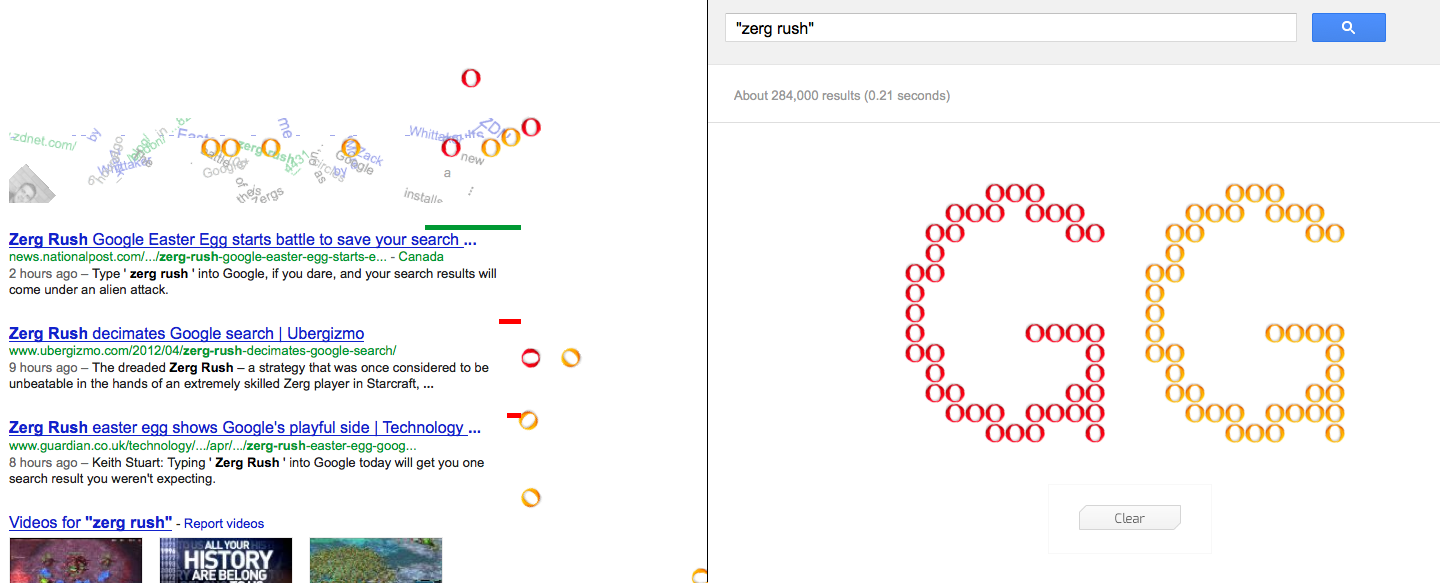
Google released an entertaining StarCraft-related easter egg today, for reasons unknown yet. To see it, just go to google.com and search “zerg rush”. Your search results will be attacked by a bunch of “zerglings” which will group up at the end to spell out GG.
Update: There are several sites now saying that a Google spokesperson gave out this quote:
“For n00bs who aren’t as familiar with real-time strategy games, there’s been a zerg rush on your search results page. Because there should always be time to practice your gaming skills, click on the zerg units to defend the results page and try not to get pwned. Then you can share you APM score on Google+. GLHF!”
So apparently you can kill those “zerglings” by clicking on them to get a high score and post on Google+. I read somewhere that this whole thing might have been created to be a promotion for Google+. Anyway, I think it’s pretty cool that Google made something for us StarCraft fans.
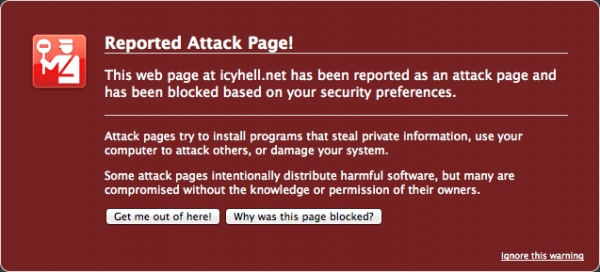
Apparently, icyHell and a whole bunch of other customers’ websites from DreamHost (my web hosting company) were hacked. The hack injected every PHP file with a base 64-encoded code that redirected all visitors to a different website. I have just finished re-uploading a brand new copy of this website to the server. If there is anything that isn’t working, please post about it in the comments! Thank you.
HuskyStarcraft has posted a video up showing that it is possible to stack Siege Tanks, as well as other units like Thors, by dropping them in tight spaces with Medivacs. This was originally discovered by DerNalia, who was a victim of this attack in a game, and had posted a screenshot of it on the reddit StarCraft forums. Blizzard will likely fix this bug in an upcoming patch, as they have done so with these types of exploits in Brood War.
HuskyStarcraft has also made a 2nd video showing tank-stacking with buildings here.
—
Big update: HuskyStarcraft has posted a 3rd video of the same bug, but this time some people have figured out how to get the tanks to fall off the edge of the cliff and move around at the bottom of the map! Check out the exploit in the video below:
Posted by dOoBiX on November 24th, 2011 at 3:41 pm
I just realized that I haven’t uploaded Monikon’s Mini StarCraft to icyHell yet. In the previous posts about this, I just linked to the creator’s webpage. However, that website is gone now, thus I will host the file here for everyone to download.
For those who don’t know about this yet, this is a very small version of StarCraft Brood War that can be put in your USB drive so you can take StarCraft wherever you go! You can even play on Battle.net if you use a valid CD-key.
Posted by dOoBiX on November 1st, 2011 at 12:48 am
Sorry to everyone who had been trying to access icyHell.net over the past 2 weeks. A bunch of files got infected with some malicious code and Firefox/Google had blocked people from visiting this site. I have hopefully cleaned up everything, and this problem should not happen again. icyHell.net has been resubmitted to Google for a review, and I think they will remove us as an Attack Page in a few days.
 Discord
 Loading ...